Unverifiable evidence
Photos arrive with no location or timestamp, so nobody can prove they were taken at the vehicle.
AutoCheq turns a link and any smartphone into a guided, geo-verified inspection. Computer vision checks every frame, reads the VIN, plate and odometer, and maps damage across 10 classes. Your reviewer signs the decision.
Built for car finance, motor insurance, fleet operators, leasing, dealers and OEMs, vehicle logistics, rental and subscription, and auctions and remarketing.
Lenders, insurers and fleets answer the same question thousands of times a month: what state is this vehicle in, and is it the vehicle we think it is? The tooling hasn't caught up.
Photos arrive with no location or timestamp, so nobody can prove they were taken at the vehicle.
Blurred, dark or missing shots surface only back at the office. Every gap means a second visit.
VIN, plate and odometer are retyped by hand, which is exactly where typos and swapped vehicles get through.
Approvals live in chat history. When a claim or a return is disputed, there's no record of who decided what.
Every stage has an owner, a status and a timestamp. AI does the inspection work in the middle; people own the decisions at the edges.
Vehicle, policy or loan details entered once.
To a field agent or straight to the vehicle owner.
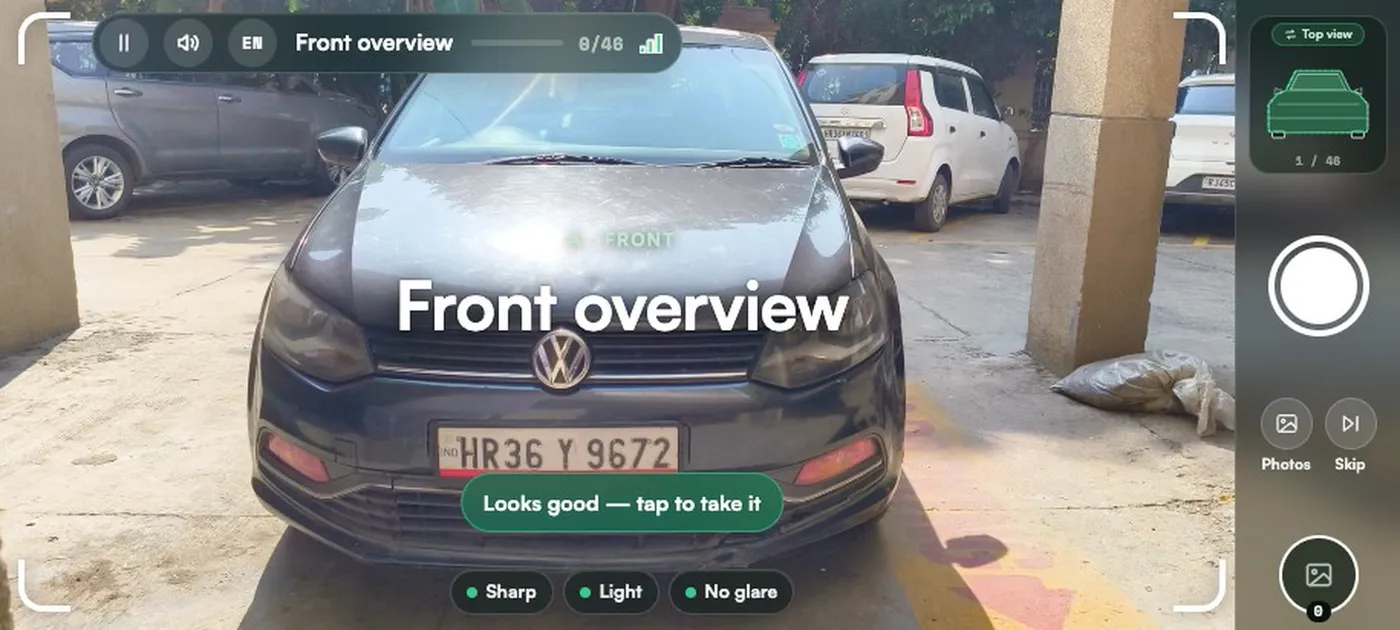
Part by part on any phone, with voice guidance.
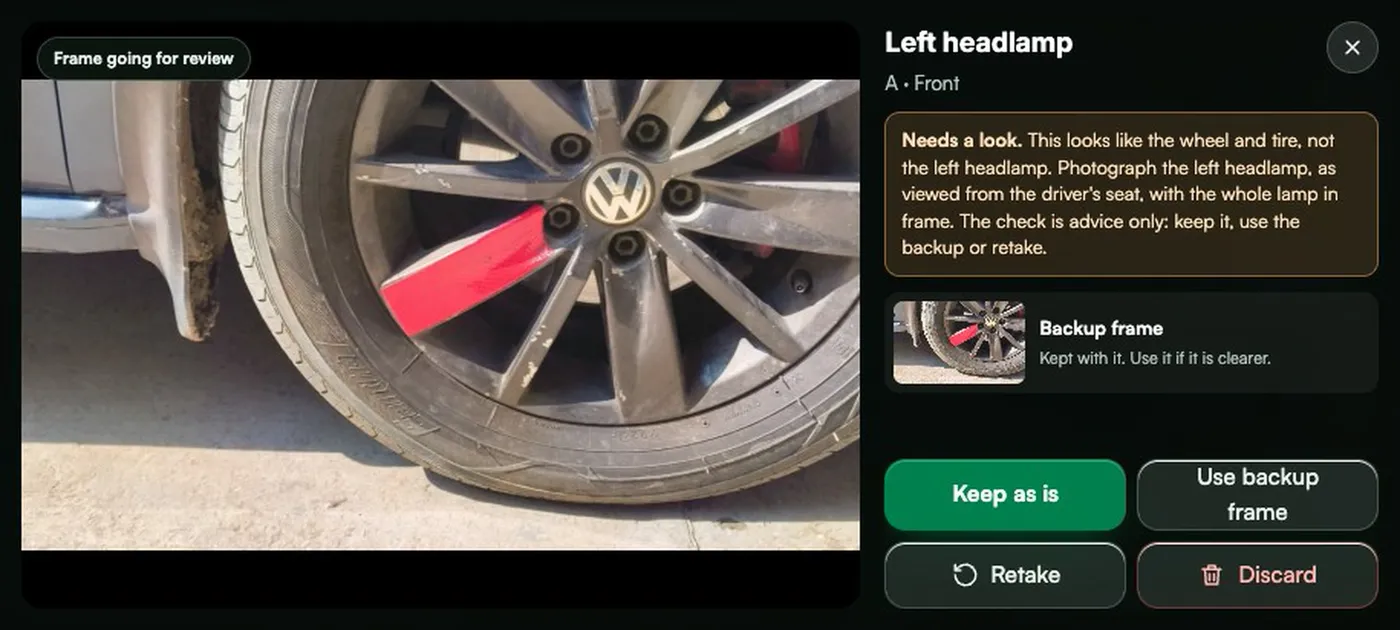
Send back only the photos that need redoing.
Identity read and matched, damage marked on the photo.
Accept, reject or hold, signed by a named person.
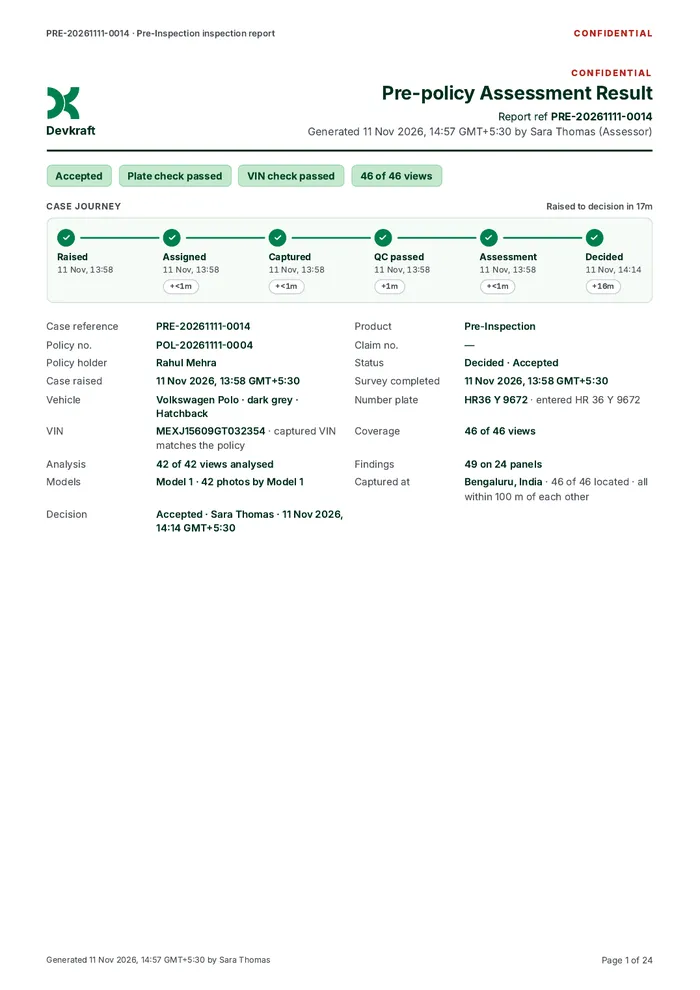
PDF with evidence, findings and the full history.
The phone becomes the inspector's checklist. Quality is enforced at the shutter, not discovered at the office.
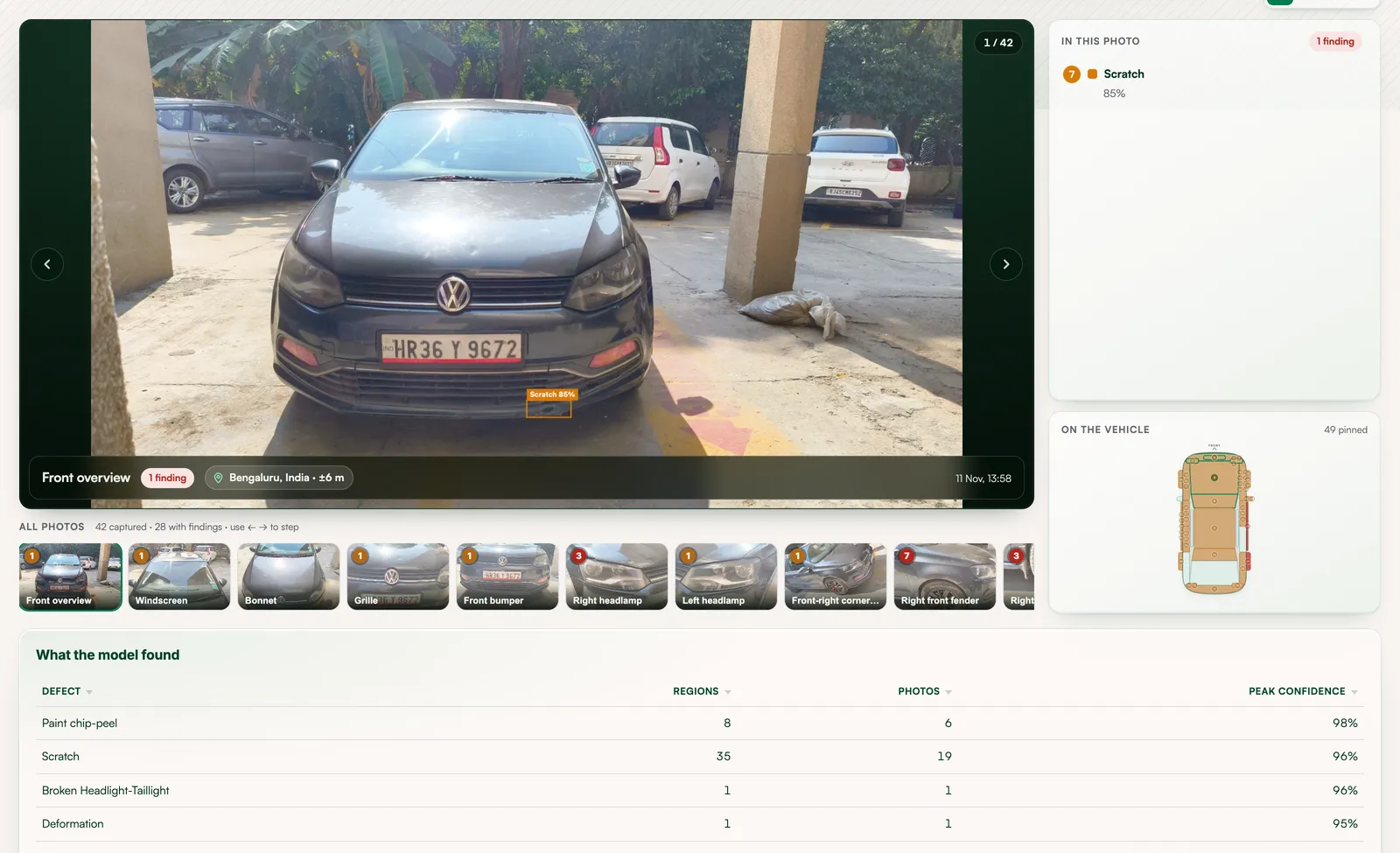
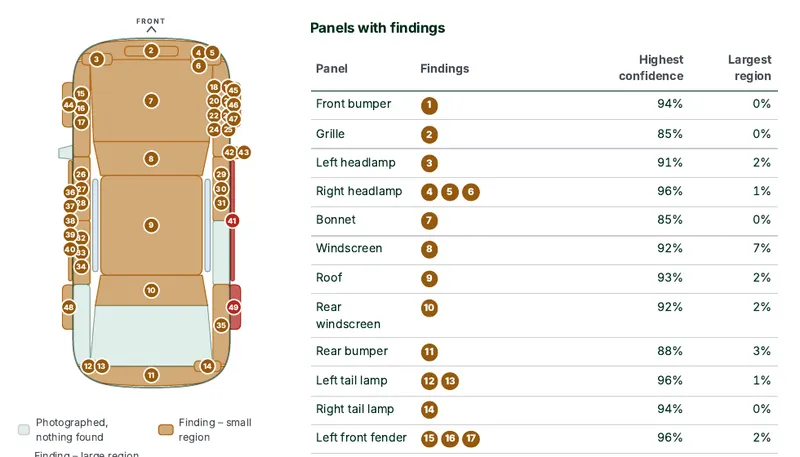
Each photo is analysed and findings are drawn on the image, grouped by panel and pinned to a damage map of the vehicle.
VIN with check-digit validation, number plate, odometer, make, model and colour. Anything that doesn't match the case is flagged on every screen.
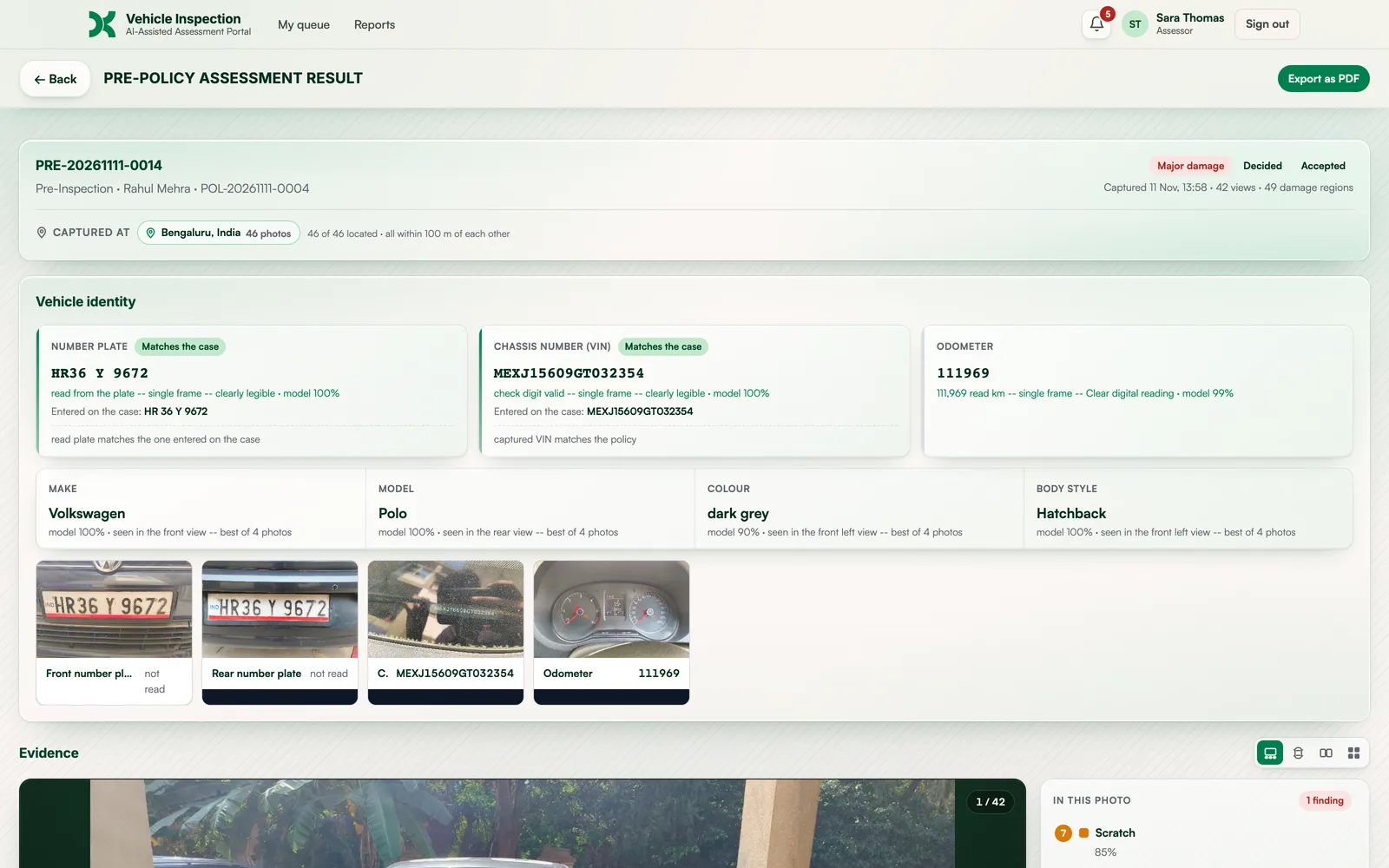
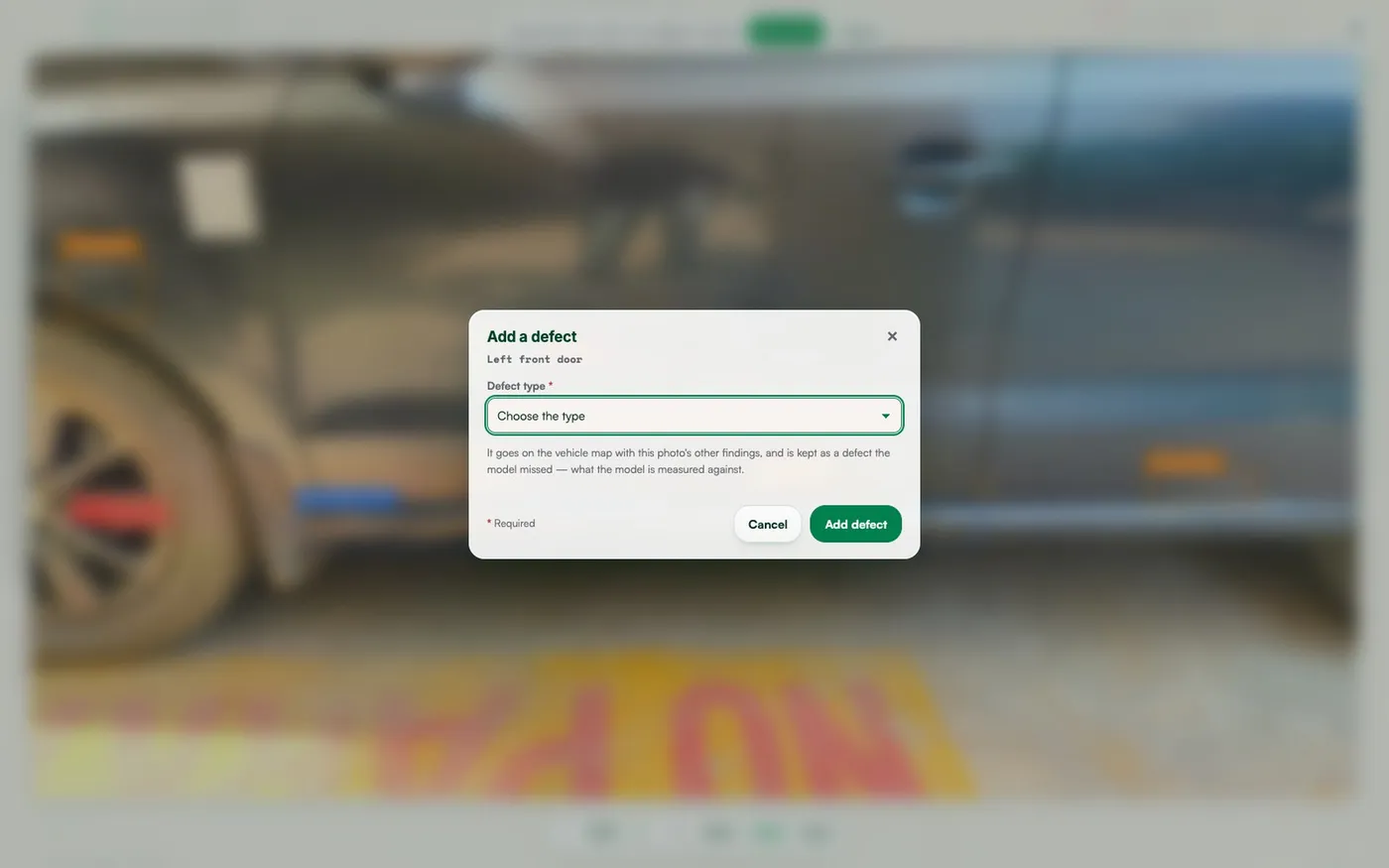
Role-based queues, workload-aware assignment and live oversight, configured per organisation and enforced on the server.
Admins see open cases by stage, what's with surveyors, with customers or with assessors, and what's been sent back.
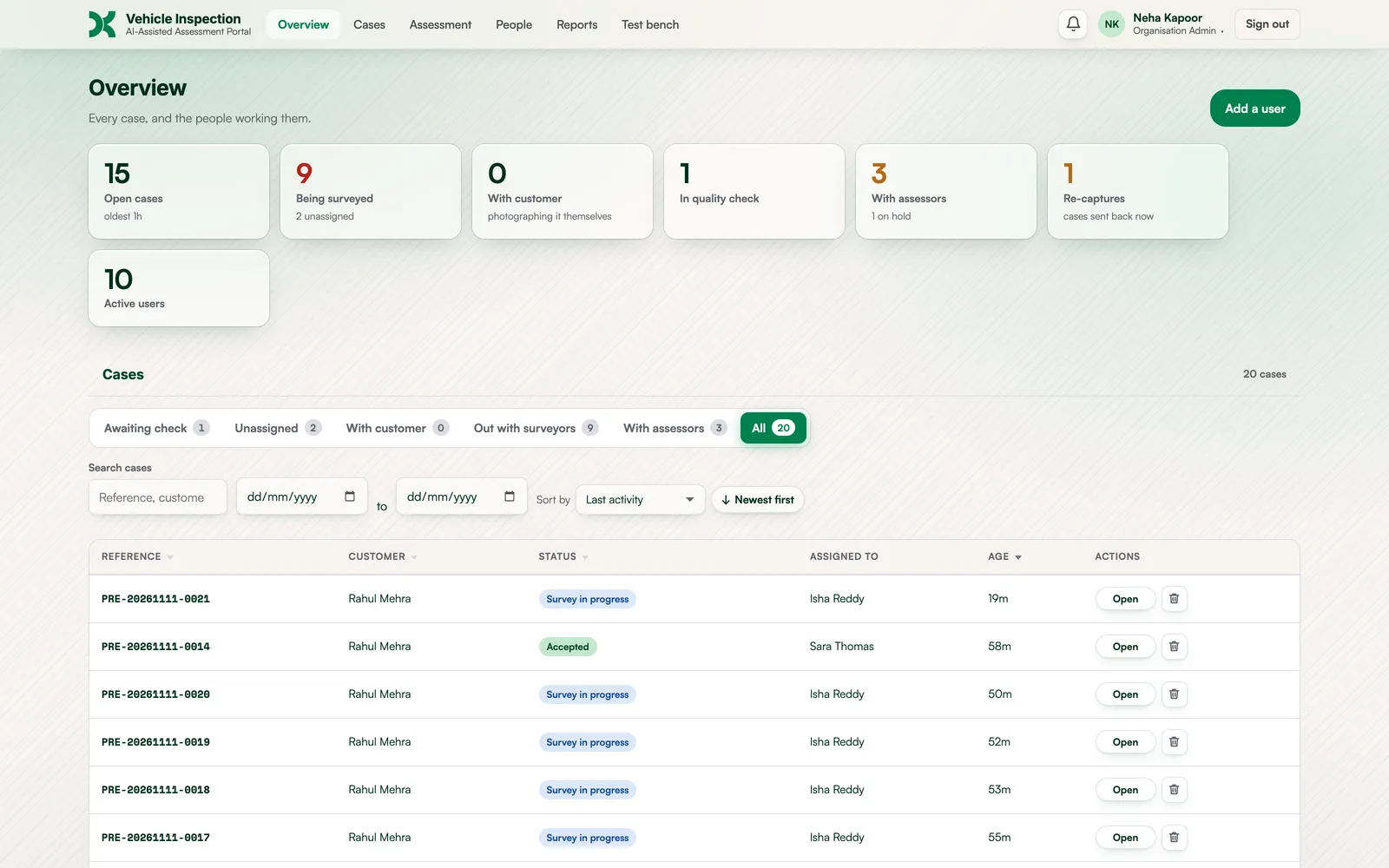
Each person sees exactly their part. Add a user, tick their roles, and the right screens follow.
Separation of duties: no one can decide a case they photographed.
Who's free, what's pending with whom, holds and the reasons for them, and how long every stage took.
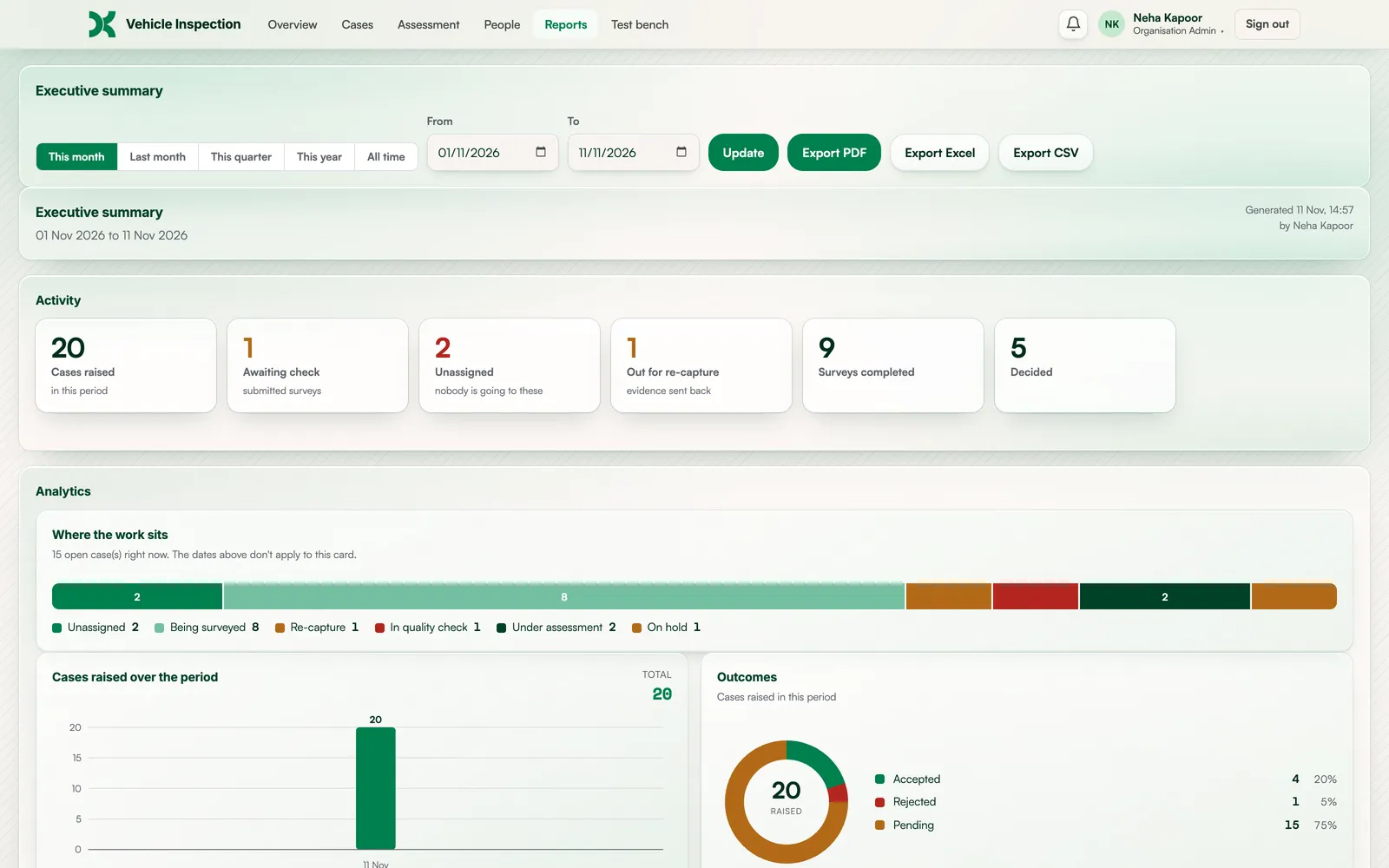
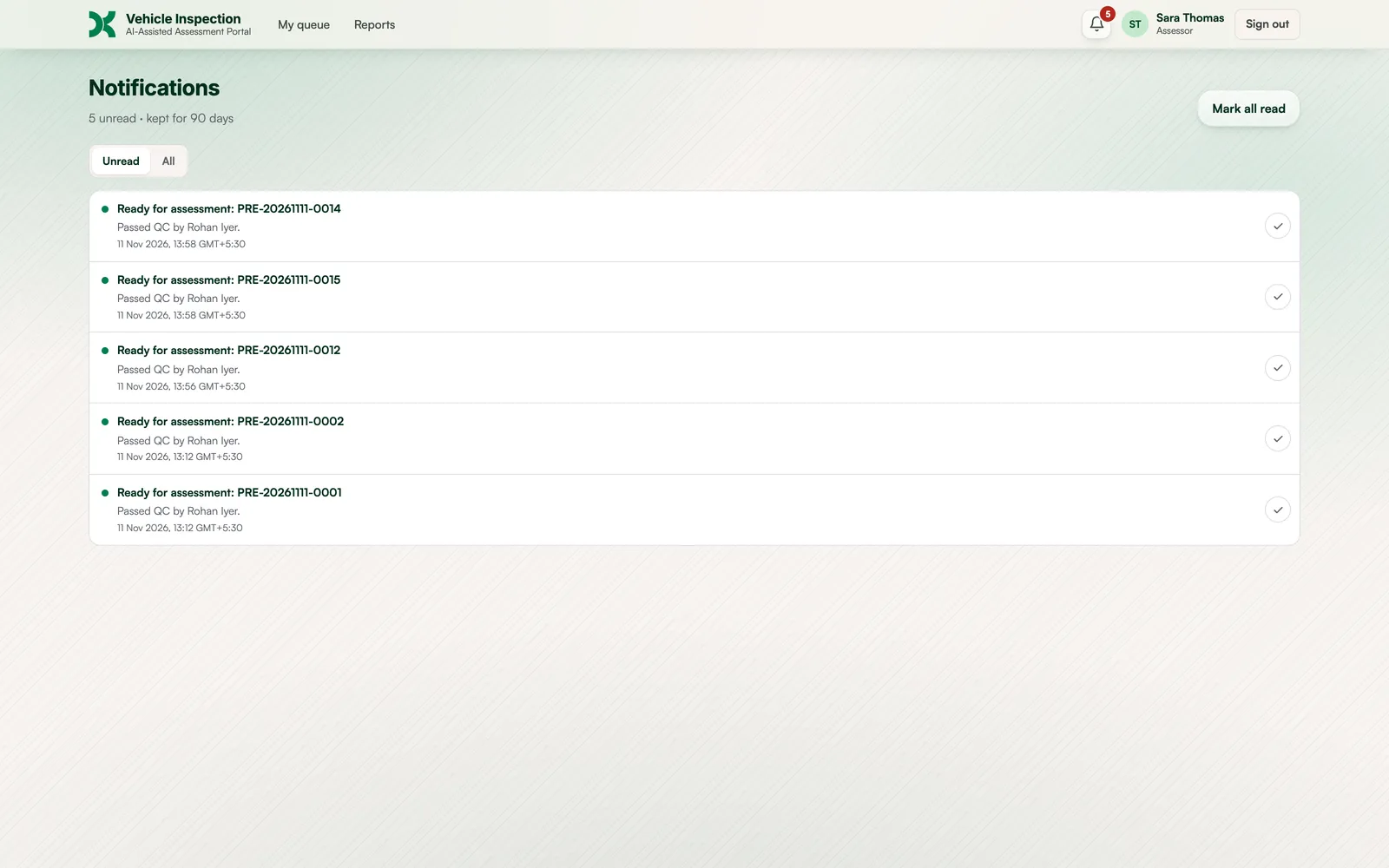
In-app and email alerts for assignments, send-backs, holds and decisions, so nothing waits unseen.
Every finding pinned to the panel it was found on.
PDF with original and annotated photos, identity, provenance and the decision. Excel and CSV exports included.
Each business unit or client gets its own space, users, settings and AI model, and chooses how findings are shown: named defects or "damage identified" only, colour coding, and who can edit findings.
Full history and audit trail on every case. Light and dark mode.
Roles and admin control, guided capture, location and photo checks, AI inspection, human review, reporting and oversight. Narrated, with captions.
Confirm the vehicle exists, matches the loan file and is in the stated condition before money moves. Settle return disputes on time-stamped evidence.
Read the scenario → Pre-inspection · renewal · claimsInspect without waiting for a surveyor visit. Pre-existing damage is on record before cover starts, and identity checks cut fraud.
Read the scenario → Periodic checks · driver handoverOne standard across every vehicle and location. Damage is traced to a handover, so accountability is clear.
Read the scenario → PDI · trade-in · warrantyA consistent condition record at every handover, and faster, better-documented used-car evaluation.
Read the scenario → Pickup and drop-off at every legProof of condition at each handover, so transit damage claims are settled on evidence, not opinion.
Read the scenario → Check-out · check-inCustomers self-inspect from a link, and every damage dispute comes with photos, time and place attached.
Read the scenario → Listing condition reportsStandard photos and damage reports that buyers can trust, produced at scale.
Read the scenario →Illustrative scenarios built from the workflows we see most often. Customer stories will be published after our first pilots.
A lender confirms that the financed vehicle exists, matches the loan file and is in the stated condition, without sending an inspector.
An insurer records pre-existing damage before cover starts, with geo-tagged evidence that holds up when a claim comes in.
A fleet operator runs the same inspection at every handover, so damage is traced to the right driver or lessee.
TyreCheq reads the tyre size off the sidewall, measures every main groove in millimetres from a short video sweep, and marks each tyre Good or Replace soon. Add it to an AutoCheq inspection for one record of the vehicle and its tyres.
The platform never auto-approves or auto-rejects. Every outcome is signed by a named reviewer.
Every photo carries its location and time, and every action on the case is recorded.
Role permissions are checked server-side, not just hidden on screen, with separation of duties built in.
Each client sets its AI model and how findings are presented, to match its own process and policy.
AutoCheq is an AI vehicle inspection platform by Devkraft. It turns a link and any smartphone into a guided, geo-verified inspection: AI checks every photo, reads the vehicle's identity and marks damage, and a named reviewer makes the final decision.
AutoCheq is an AI vehicle inspection platform by Devkraft. It turns a link and any smartphone into a guided, geo-verified inspection. AI checks every photo, reads the vehicle's identity and marks damage, and a named reviewer makes the final decision.
Your team raises a case and sends a link to a field agent or the vehicle owner. They open it on their phone, allow location, and are guided part by part. Each photo is checked as it is taken. Your team runs a quality check, AI inspects the photos, and a reviewer accepts, rejects or holds the case. The result is a signed PDF report.
No. Capture runs in the phone's browser from a link. There's nothing to download, and the guidance is spoken, so it works for field agents and first-time vehicle owners alike.
Ten kinds: dents, scratches, cracks, deformation, chipped or peeling paint, broken glass, broken lights, missing parts, rust and tyre damage. Findings are drawn on the photo, grouped by panel and shown on a damage map of the vehicle.
It reads the VIN (and validates its check digit), the number plate and the odometer, and recognises make, model and colour. It compares them with the details on the case and flags any mismatch on every screen.
No. The AI reports what it sees and recommends nothing. A reviewer can dismiss a wrong finding or add a missed one, then accepts, rejects or holds the case. Nobody can check or decide a case they photographed themselves.
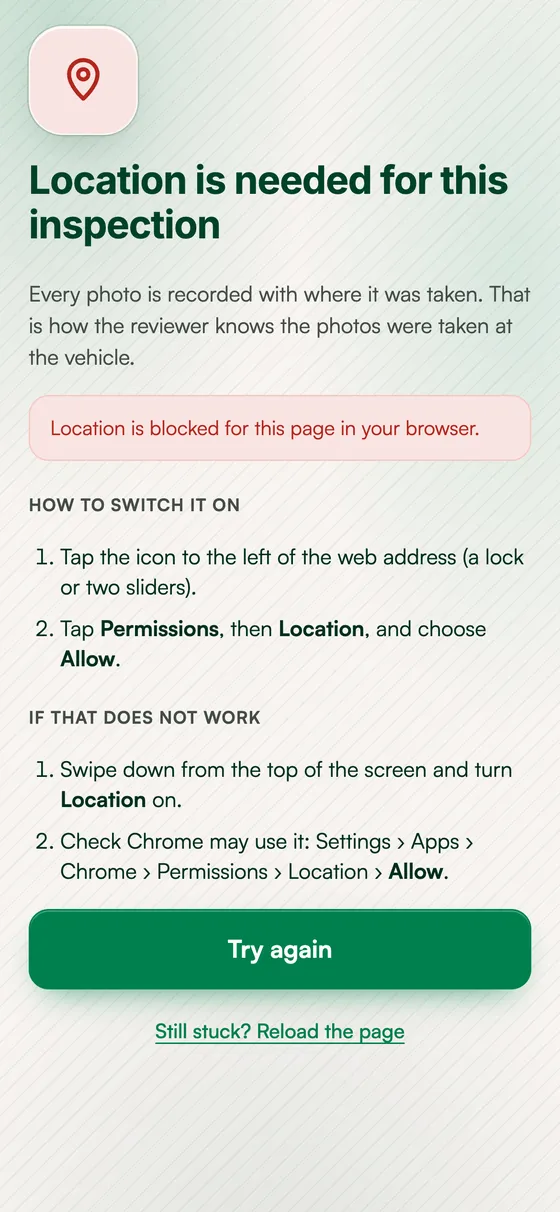
Capture can't start without location. Every photo is stamped with its coordinates and time, and the case shows where the photos were taken and how close together they were.
Car finance and leasing companies, motor insurers, fleet operators, carmakers and dealers, vehicle logistics firms, rental and subscription businesses, and auction and remarketing platforms.
Yes. Each organisation gets its own space, users, settings and choice of AI model, and controls how findings are shown: named defects or "damage identified" only, colour coding, and whether reviewers can add or dismiss findings.
Book a demo with the form below. We set up an organisation for your team, run inspections on your own vehicles and review the results with you.
Tell us about your inspection volume and workflow. We'll walk you through the platform and scope a pilot around your use case.
Prefer email? vendor@devkraft.in